How Skool Works: The Detailed Guide for Content Creators (2026)
✍️ Article written and verified by an expert in online learning and community building platforms, with practical experience using Skool and its competitors · Updated in 2026
To understand how Skool works, you should view it as an all-in-one platform dedicated to content creators looking to sell courses and foster a highly engaged online community. It cleverly merges course modules, a dynamic community space, and monetization tools to offer a seamless experience.
- The community (news feed, discussions, thematic posts) is the backbone of Skool, driving daily engagement.
- The Classroom tab allows you to host and sell structured courses, accessible by subscription or individually.
- Integrated gamification (points, levels, leaderboards) actively motivates member participation and retention.
Skool stands out for its ease of use, clean interface, and business model designed for retention and recurring revenue growth. The goal is to create an immersive ecosystem where learning and interaction are fluid, free from the distractions of traditional social media.
Are you an entrepreneur, trainer, or coach, and the name Skool is resonating more and more within your digital ecosystem? Are you wondering exactly how Skool works, its potential to maximize your community's engagement, and what differentiates it from established platforms like Systeme.io, LearnDash, or Teachable? This article, written by an expert with practical experience using these solutions, offers a comprehensive and objective analysis to enlighten you before investing your time and resources in 2026. We will break down its key features, monetization model, and engagement strategies to provide concrete insights and help you make the best decision.
What is Skool's unique value proposition compared to its competitors?
Skool positions itself as a hybrid platform, an innovative fusion between a Learning Management System (LMS) and a powerful private social network. Its unique value proposition lies in the native and coherent integration of three fundamental pillars: community, online courses, and gamification, all supported by a simple and secure payment system via Stripe.
Unlike platforms such as Systeme.io, which excels in sales funnels and email marketing, or Teachable/Kajabi, primarily focused on selling and hosting premium courses, Skool emphasizes constant interaction and long-term member retention. The founding idea is to create a space where learners are not just content consumers, but active participants who exchange, motivate each other, and progress collectively. This approach drastically increases the perceived value of the offer and significantly reduces member churn rates.
Specifically, a Skool community is not limited to course videos. It offers a dynamic news feed for discussions (similar to a Facebook group, but without the distractions or ads), an integrated calendar for live events (Q&A sessions, group coaching), and a member ranking system (leaderboard) that rewards engagement. It is this unique synergy between courses and community, amplified by gamification, that is Skool's trademark and allows it to offer an immersive and loyalty-building user experience. You can consult the official Skool website for details on its features.
What are Skool's main features and how do they interact?
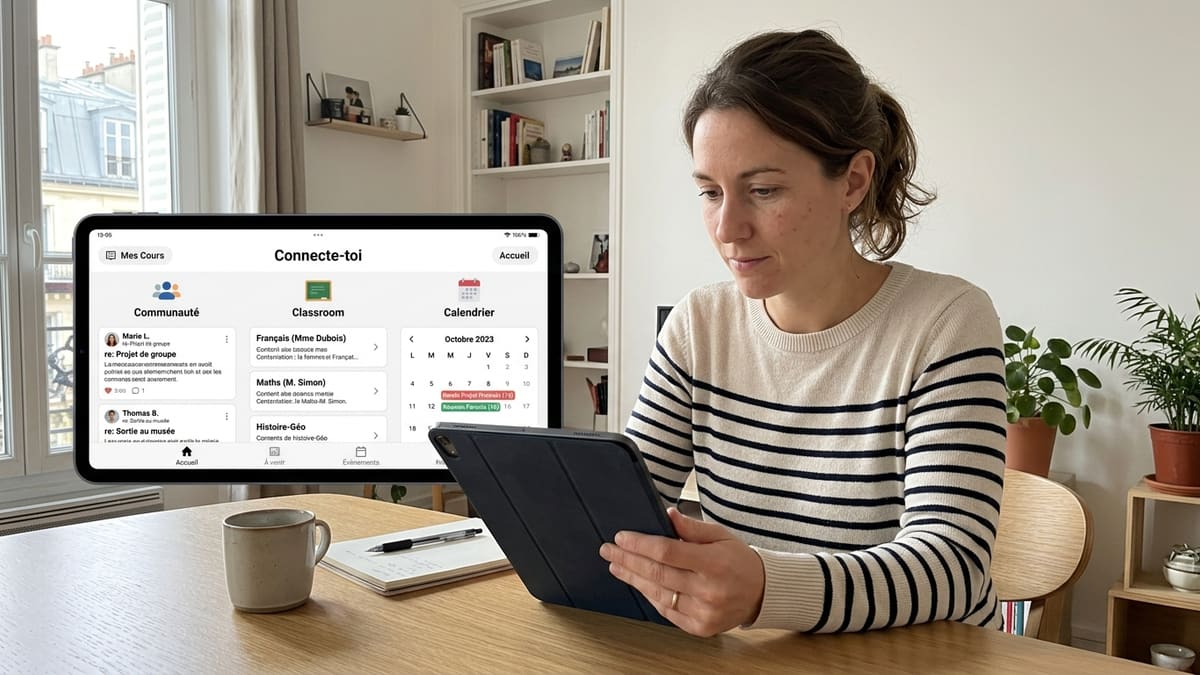
The Skool platform is intelligently structured around five key tabs, each playing a specific role in animating and monetizing your offering. Understanding their interaction is fundamental to maximizing engagement and perceived value for your members.
Community
This is the interactive heart of your Skool group. It's a news feed where members can post questions, share successes, exchange resources, or initiate thematic discussions. Unlike Facebook groups, it's free of ads, complex algorithms, and distractions. Posts can be organized by predefined categories (e.g., 💬 Discussion, 🎉 Announcements, 🏆 Member Successes), making navigation and searching for relevant information easier.
Classroom
This tab is dedicated to hosting your structured courses, organized into modules and lessons. You can easily integrate videos (hosted directly or via YouTube/Vimeo), documents (PDFs, slides), and other educational resources. The “Classroom” allows you to sell courses individually or include them in a community subscription. It functions as a simplified and intuitive LMS, designed for smooth content consumption.
Calendar
Essential for organizing all your live events: group coaching sessions, webinars, Q&A sessions, or masterclasses. Members receive automatic notifications (by email and in-app), optimizing participation. Links to video conferencing tools (Zoom, Google Meet) are directly integrated, offering maximum fluidity for participants.
Members
This tab displays the complete list of your community members. You can view their profiles, engagement levels, and interactions. It's a valuable tool for creators who want to better understand their audience and for members who wish to connect with each other, fostering networking and collective emulation.
Leaderboards
Gamification is at the core of engagement on Skool. Members automatically earn points by interacting (posts, comments, likes) and progress through levels (e.g., from Beginner to Expert). The leaderboard displays the most active members, creating a healthy and stimulating competition. Many creators use this feature to offer concrete rewards, such as access to exclusive bonus content, private coaching sessions, or public recognition based on levels achieved.
Skool's power lies in the fluid synergy between these elements. A question asked in the “Community” can be answered by a specific lesson in the “Classroom,” while an event scheduled in the “Calendar” can be a group coaching session that generates new interactions and moves participants up the “Leaderboard.” This interconnectedness maximizes user engagement and perceived value.
How is monetization integrated into Skool, and what revenue models are possible?
Skool is designed from its inception as a high-performing monetization tool, which fundamentally differentiates it from simple free forums or discussion groups. It offers several possible revenue models, primarily centered around subscriptions and course sales.
1. Monthly Subscription (Membership)
This is the most common and effective model on Skool for generating recurring revenue. Members pay a fixed monthly fee (or annual, often with a 10-20% discount) to access all community resources (courses, exclusive lives, discussions, group coaching). This model provides crucial financial predictability for your business. Retention is key here: a member who stays 12 months generates 12 times more revenue than one who stays only one month.
2. Integrated Courses (Classroom)
The “Classroom” section offers great flexibility to monetize your expertise:
- Courses included in the subscription: The course is the primary added value that justifies the monthly payment. This simplifies the offering for the member and maximizes retention by encouraging them to stay to consume content.
- Courses sold separately (upsell/downsell): The community can be free (freemium model) or paid, and premium courses are offered as an add-on, individually. For example, a specialized course at €97, €297, or €497, depending on its perceived value.
3. Group and Individual Coaching
Coaching, whether collective via regular sessions scheduled in the “Calendar” or individual, represents a highly effective and high-value monetization lever. Group coaching can be included in a higher-tier subscription or offered as an option. Individual coaching is often a premium upsell, billed per session (e.g., €150 to €500 per session) for members seeking personalized support. This model can multiply revenue per member by 3 to 5 for the most engaged clients.
4. The Skool Affiliate Program
Skool offers a particularly attractive affiliate program: 40% recurring lifetime commission on every creator who opens a Skool group via your link. If one of your members or contacts decides to create their own Skool group using your unique link, attribution is automatic. This can generate significant passive income (e.g., 10 referrals on the Pro plan at $99/month = approximately $396/month in passive income).
5. Sponsorship and Partnerships
Once your community reaches a critical size (more than 200-500 active and engaged members), it becomes a valuable asset for brands. You can offer sponsored posts (estimated between €200 and €1,000 per post, depending on your audience size), sponsored lives (€500 to €2,500 per event), or product affiliation with tools, services, or products relevant to your audience. The golden rule is to only promote products you personally use and would sincerely recommend to maintain trust and credibility with your members.
Skool vs. alternatives: When and why to choose?
The market for online learning and community platforms is vast and rapidly evolving. Choosing the right solution will depend on your specific goals, budget, and user experience preferences. Here is a brief comparison of key features between Skool and its main competitors.
| Feature | Skool | Systeme.io | Circle.so | Kajabi |
|---|---|---|---|---|
| Main Focus | Community + Courses + Gamification | Sales funnels + Email marketing + Courses | Advanced Community & Flexibility | Premium Courses + All-in-one Marketing |
| Community Management | Excellent (news feed, native gamification, integrated calendar) | Limited (requires integration of external Facebook or Telegram groups) | Very advanced (numerous interaction tools, customizable spaces, robust API) | Basic (internal forum/discussion function) |
| Course Hosting | Yes, integrated Classroom, simple, intuitive and effective for videos and documents. | Yes, good LMS, content flexibility, drip-content, assessments. | Yes, via modules or dedicated spaces with various options (video, text, etc.). | Yes, robust LMS with visual editor, various media, quizzes, and certificates. |
| Gamification | Native and powerful (points, levels, leaderboard visible to all). | Not natively integrated, can be simulated by external tools. | Customizable via third-party integrations (e.g., Zapier) but not native. | Not natively integrated. |
| Monetization | Subscriptions (monthly/annual), course sales, Skool affiliation (40% recurring). | Sales of digital products, subscriptions, affiliation, e-commerce. | Subscriptions, course sales, and access to spaces. | Subscriptions, course sales, coaching, event management, upsells. |
| Ease of Use | Very simple, quick to learn (a few minutes to create a group). | Good, but a busier interface, requires learning to master all tools. | Medium to complex for advanced functions and customization. | Medium, many features to master for optimal use. |
| Pricing (for creators, in 2026) | $99/month (full Pro plan), $9/month (limited Hobby plan). | Free to €97/month (depending on number of contacts and features). | From $49/month (basic) to $399/month (enterprise). | From $149/month (Basic) to $399/month (Pro) billed annually. |
When to choose Skool?
Skool is the ideal solution if your primary goal is to build an engaged and interactive community around your expertise, while also selling courses and coaching. It is particularly suitable for:
- Trainers, coaches, or infopreneurs who want to maximize member retention and create a strong sense of belonging through interactivity.
- Those who prioritize ease of use and quick setup, not wanting to spend hours configuring complex tools.
- Creators who value collaborative learning, mutual support among their learners, and collective emulation through gamification.
- Starting projects (with the Hobby plan) as well as established structures (with the Pro plan) looking to scale their community offering.
When to consider other platforms?
- Systeme.io: If your priority is building complex sales funnels (Evergreen webinars, multiple upsells/downsells), advanced marketing automation (email marketing, SMS), and selling a wide variety of digital products, even without a strong integrated community component. Many creators use Systeme.io for front-end (acquisition) and Skool for back-end (community and value delivery).
- Circle.so: If you are looking for the most robust and customizable solution for community management, with extensive API integrations, ultra-customizable spaces, and a need for granular control over the community experience.
- Kajabi: If you have a larger budget and are looking for an extremely comprehensive all-in-one platform for hosting premium courses (with certifications, advanced assessments), integrated marketing (website, blog, email, CRM), and managing a large-scale digital business, without the need for native gamification.
Skool's business model: Direct, indirect costs, and long-term profitability
Understanding the total cost of ownership (TCO) of Skool is crucial for evaluating the financial viability of your project over 1, 3, or 5 years. Beyond the subscription price, other elements can influence your profitability.
Direct Costs of Skool (Prices verified in 2026)
Skool offers two main plans with US dollar pricing:
- Hobby Plan: $9/month (approx. €8.30 ex. VAT). It allows you to test the platform with limited features: one group only, no “Classroom,” no affiliation, no custom branding. This is ideal for validating a concept or launching a freemium community.
- Pro Plan: $99/month (approx. €92 ex. VAT). It offers full access to all features: unlimited groups, “Classroom,” gamification, integrated payments, affiliation, custom branding. This is the plan primarily used by serious French-speaking creators.
It's important to note that these prices are in US dollars. You must therefore consider fluctuating exchange rates and the 20% VAT applicable in France on digital services if you do not have an intra-community VAT number.
Transaction Fees: Skool applies fees on sales (subscriptions or courses) which depend on the plan:
- 10% on the Hobby plan
- 2.9% on the Pro plan
Indirect Costs and Complementary Tools Often Needed
- Marketing and Advertising: Attracting qualified members involves acquisition costs. These costs can range from a few hundred to several thousand euros per month depending on your strategy (Meta/Google ads, social media management tools, SEO).
- Complementary Tools: Although Skool is an all-in-one solution for community, external tools are often still necessary. For example, an email marketing tool (e.g., GetResponse, Brevo, ActiveCampaign) for your prospect lists, a sales page and funnel builder (e.g., Systeme.io) upstream of your Skool community, or a premium video conferencing tool (e.g., Zoom Pro) for your regular live sessions.
- Time: Your time is the most valuable resource. Allow a minimum of 5 to 10 hours per week to animate, create relevant content, and effectively manage your Skool community. “Auto-pilot” communities rarely succeed in the long term.
Potential Profitability on Skool: Concrete Examples
Profitability depends on your subscription price, the number of members, and your churn rate. Here are some examples to illustrate the power of the Skool model:
- Community of 50 members at €49/month (Pro plan):
Gross monthly revenue: 50 x €49 = €2,450.
Skool fees (2.9%) + Stripe (2.9%) ≈ 5.8%: €2,450 x 0.058 = ~€142.
Skool Pro subscription: $99 (approx. €92) + 20% VAT = €110.4.
Estimated net revenue (excluding external marketing costs): €2,450 - €142 - €110.4 = ~€2,197.6/month. - Community of 200 members at €79/month (Pro plan):
Gross monthly revenue: 200 x €79 = €15,800.
Skool + Stripe fees: €15,800 x 0.058 = ~€916.
Skool Pro subscription: $99 (approx. €92) + 20% VAT = €110.4.
Estimated net revenue (excluding external marketing costs): €15,800 - €916 - €110.4 = ~€14,773.6/month.
These figures demonstrate that Skool can be extremely profitable, especially when your community reaches a significant size. The emphasis on member retention allows for building stable and cumulative revenue in the long term. A churn rate below 5% per month is generally considered excellent for subscription models.
Learning curve for a new user: ease of use and setup
One of Skool's major strengths, often highlighted by its users, is its ease of use. The platform has been meticulously designed to be intuitive, even for creators without advanced technical skills. The learning curve is exceptionally fast, allowing creators to focus on producing valuable content and animating their community, rather than on complex technical issues.
- Clean and minimalist interface: The user interface is intentionally simple and uncluttered. This clarity reduces distractions and facilitates navigation for both administrators and members. The different tabs (“Community,” “Classroom,” “Calendar,” “Members,” “Leaderboards”) are clearly identified, and their logic is immediate.
- Quick and guided setup: Creating a new Skool group usually takes less than 15 minutes. Basic settings (group name, description, cover image, community rules) are simple to configure through a step-by-step interface.
- Simplified course creation: Adding modules and lessons in the “Classroom” is done via a drag-and-drop interface. You can easily integrate videos (YouTube, Vimeo, or hosted directly on Skool), formatted text, and downloadable files. No need to master a complex editor.
- Integrated and fluid payment management: Connecting to your Stripe account is fast and secure. Configuring recurring subscriptions or individual course sales is done in a few clicks, without needing to use complex third-party tools or develop costly integrations.
For a new user, getting started is almost immediate. Creators can launch quickly and begin delivering value to their community in record time. This ease of access is a distinct competitive advantage over more complex platforms like Kajabi or Teachable, which often require a greater time investment to master all their features and customization options.
Is Skool suitable for a small community/startup project, or rather for established structures?
Skool's flexibility and pricing structure make it adaptable to a wide range of projects, from starting a small community to hosting established structures with thousands of members. Its business model particularly encourages growth and scalability.
For startup projects or small communities
Skool is an excellent option for creators who are just starting out or want to validate a community idea. The Hobby plan at $9/month (approx. €8.30 ex. VAT) allows you to test the community concept and interaction without heavy financial commitment. It's perfect for:
- Validating your niche and offering: Launch a free group to attract your first members and interact with them.
- Building an initial audience: Use the community section to create engagement and convert prospects into active members.
Once your offering's value is proven and you have an engaged initial audience (e.g., 50 to 100 active members), upgrading to the Pro plan at $99/month becomes a natural and profitable step to unlock all features, including the “Classroom” for your paid courses and the affiliate program. The ease of use reduces the barrier to entry and allows you to focus on animation rather than technical management. The gamification aspect can quickly stimulate initial interactions and turn early adopters into engaged ambassadors.
For established structures and large communities
Many French-speaking communities thrive on Skool and have several thousand members (e.g., Sam Ovens' Digital Circle with over 3,700 paying members, or Le Club IA with over 7,000 members in a freemium model). The platform is designed for scalability and managing large groups:
- Role management and moderation: Ability to appoint administrators and moderators to effectively manage a large community and ensure a healthy environment.
- Structured content organization: The “Classroom” allows you to structure a large number of courses and modules without cluttering the interface or harming the user experience.
- Task automation: Notifications, automatic gamification level management, and integrated payments minimize administrative burden, even with a large number of members.
Established structures looking to consolidate their audience, improve retention, and diversify their revenue streams will find Skool to be a powerful tool. The fixed cost of $99/month (Pro plan) becomes negligible after about a hundred paying members, making the platform very competitive at scale compared to solutions whose prices increase exponentially with the number of members or additional features.
Concrete advantages and disadvantages of Skool based on user experience
For an informed decision on how Skool works for your specific project, it is essential to weigh its concrete advantages and disadvantages, based on feedback from creators and members.
Major Advantages of Skool
- Simplicity and speed of deployment: The clean and intuitive interface makes it quick for creators to get started and smooth for members to navigate, allowing community launch in minutes.
- High member engagement: The unique synergy between the interactive community, structured courses, and native gamification (points, levels, leaderboards) fosters active participation, healthy competition, and better retention.
- Native and simplified monetization: Integrated payments via Stripe facilitate the management of recurring subscriptions and individual course sales, without requiring complex external tools.
- Distraction-free environment: The absence of ads, time-consuming algorithms, and irrelevant information streams (unlike traditional social networks) creates a focused learning and exchange space.
- Predictable and scalable pricing model: A fixed monthly cost ($99/month for the Pro plan) that does not depend on the number of members makes profitability and budget planning transparent, regardless of your community size.
- Generous affiliate program: 40% recurring lifetime commission on new creators referred, offering a powerful acquisition lever and a complementary passive income source.
Disadvantages and Limitations of Skool
- Limited aesthetic customization: The design is intentionally minimalist and uniform, which may not appeal to creators seeking extensive customization of their visual branding (specific colors, fonts, layouts).
- Reduced advanced pedagogical features: Less flexibility on course formats, advanced assessment options (complex quizzes, completion certificates), or adaptive learning paths compared to a pure LMS like Teachable or Kajabi.
- Limited front-end marketing features: Skool does not replace a sales funnel builder, sophisticated landing pages, or an integrated email autoresponder. It requires the integration of third-party tools for marketing acquisition steps.
- Dependence on Stripe for payments: The single payment solution via Stripe can be a hindrance for certain markets or for those who prefer other payment providers (e.g., PayPal).
- Absence of a complete white-label version: The Skool logo remains visible at the bottom of the page, which can slightly detract from brand image for companies wishing for full immersion of their own branding.
- Potential for disengagement if not animated: Gamification and structure are there, but without proactive and regular animation from the creator, engagement can stagnate, as with any community.
How to manage integration with other marketing or sales tools?
While Skool positions itself as an all-in-one solution for community management and course hosting, it doesn't entirely replace a complete suite of marketing and sales tools. Intelligent integration with other platforms is therefore essential to build a comprehensive and high-performing digital strategy.
Essential complementary tools for a complete strategy
- Email Marketing Tool (CRM): Indispensable for managing your prospect lists, sending newsletters, nurturing, and automating email sequences (e.g., Brevo, Mailchimp, ActiveCampaign). You can direct your qualified prospects to a Skool login page or registration page after nurturing them via email.
- Sales page/sales funnel builder: Platforms like Systeme.io, ClickFunnels, or Leadpages are perfect for creating opt-in pages, compelling sales pages, upsells, and downsells before sending customers to your paid Skool group.
- Video conferencing tools: For your live sessions, group coaching, and webinars, Zoom or Google Meet are the most widely used solutions, and their links integrate perfectly with Skool's “Calendar” for seamless scheduling.
- External video hosting platforms: If you want more advanced options for hosting your course videos (advanced protection, detailed analytics, chaptering), services like Vimeo Pro or Wistia offer features that can be integrated into Skool's “Classroom.”
- Automation tools (Zapier/Make): These no-code platforms are valuable for connecting Skool to other tools not natively integrated. For example, automating the addition of new Skool members to your CRM email list, automatically sharing new posts on your social networks, or synchronizing data.
Concrete and optimized integration strategies
- “Front-end” with Systeme.io, “Back-end” with Skool: This is a very effective strategy. Use a platform like Systeme.io to create your sales funnels, generate leads, and sell your initial digital products. Once payment is made, automatically redirect customers to your Skool community for course content delivery, coaching, and community engagement. This approach combines the acquisition strengths of one with the engagement power of the other.
- Skool onboarding email + CRM sequence: When a new member joins your Skool, in addition to Skool's native welcome email, trigger an automated email sequence from your external CRM. These emails can deepen the community's presentation, guide the member through the first steps (optimized onboarding), or even offer personalized upsells.
- Multichannel cross-promotion: Use your social networks (LinkedIn, YouTube, Instagram) to promote live events planned in the Skool “Calendar,” or share excerpts of relevant community discussions to encourage your prospects to join your group. Feel free to mention the official Skool website for more information.
By adopting a coherent integration strategy and choosing the complementary tools adapted to your needs, you can maximize the reach of your offering and automate key processes, allowing Skool to fully shine in its role as a community and training hub, while being supported by high-performing marketing and sales tools upstream.
🏆 Specialist's Verdict: Our Recommendations for Starting on Skool
Ready to create your own engaged and profitable community on Skool?
Questions fréquentes
Do I need an existing audience before monetizing on Skool?
Not necessarily a massive audience, but a small core of people already interested in your topic (for example, a newsletter of 200-500 subscribers, a social account with 1,000 engaged followers) can be enough to start. Without any audience, it will be more difficult and take longer to build an engaged and monetizable community. The Hobby plan can be used to validate your idea before investing more.
What is the best strategy to start on Skool in 2026?
The recommended strategy is to start with a freemium model: a free Skool group (using the Hobby plan at $9/month) to attract and engage an audience, and offer a first paid course in the “Classroom” or premium coaching offers. This allows you to build an audience, validate your content, and generate your first revenue without the pressure of a monthly subscription from the start. Once you have 20-30 active and engaged members, you can consider switching to a paid subscription model via the Pro plan.
Can free and paid communities be combined on Skool?
Yes, this is a very effective and even recommended strategy by many experts. You can create two groups: a free Skool group for lead acquisition, value proof, and light interaction, and a paid Skool group for premium content, in-depth coaching, and a more exclusive community. The free group then serves as a 'top of funnel' for the paid group, a model used by several large French-speaking communities for their growth.
Does Skool charge fees on my course and subscription sales?
Yes, Skool applies transaction fees on sales (subscriptions and courses): 10% on the Hobby plan and 2.9% on the Pro plan. In addition to this, there are Stripe payment processing fees, which are approximately 2.9% + €0.25 per transaction in Europe. It is important to include these fees in your profitability calculation.
How much time do I need to dedicate to my Skool community to monetize it?
Monetizing a Skool community is not passive. Count a minimum of 5 to 10 hours per week: 2-3 hours for content creation (posts, course modules), 2-3 hours for animation and member responses, 1-2 hours for planned lives/coaching, and 1-2 hours for strategy and continuous improvement. It's a real commitment; communities that run on 'auto-pilot' are not sustainable, and engagement quickly erodes.
Is the Skool affiliate program really profitable?
Yes, the Skool affiliate program is one of the most generous on the market: 40% recurring lifetime commission on every creator who joins Skool via your link. If you refer even 5 to 10 creators who subscribe to the Pro plan ($99/month), this can generate significant passive income (approximately $200 to $400/month) in addition to your own community revenue.